
Production Schedule Template
Launching a product on time takes coordination. A production schedule template gives your team a shared view of what needs to happen, when, and who's responsible.
BEST FOR
Operations
KEY FEATURES
Project Management
Agile Project Management
Time management
What is a production schedule template?
A production schedule template helps teams plan and track all the moving pieces of bringing something to life. It creates a single source of truth for deadlines, dependencies, and deliverables so nothing slips through the cracks.
With a clear production launch schedule template, you visualize how different tasks connect to better allocate resources and adjust as things change. The template is your roadmap for turning ideas into finished products without missing critical steps along the way, connecting daily tasks to your broader goal-setting initiatives.
When should you use a production schedule template?
Anytime you have tasks that depend on each other or multiple teams working toward the same goal, a production schedule template keeps everyone synchronized. It's particularly useful when you're juggling resources across different workstreams and need to prevent bottlenecks.
Start with a template before production begins to establish realistic timelines and identify potential conflicts early. This proactive approach through project planning helps you avoid costly delays and keeps your project timeline on track from day one.
Who should use a production schedule template?
Project managers and production coordinators rely on production launch schedule templates to maintain visibility across complex processes. Operations staff use them to allocate resources efficiently and track progress against milestones.
Anyone responsible for meeting deadlines and coordinating cross-functional work benefits from having a structured production schedule.
A production schedule template helps you move from strategic planning to execution. It supports better time management by breaking down large initiatives into manageable tasks with clear deadlines.
What does the production schedule template include?

Calendar
The calendar view shows deadlines and milestones in a visual format that makes it easy to grasp your schedule at a glance. Quickly spot task overlaps and scheduling conflicts before they create problems and plan around busy periods.
Use the custom calendar view to also ensure work is distributed evenly across the production timeline.
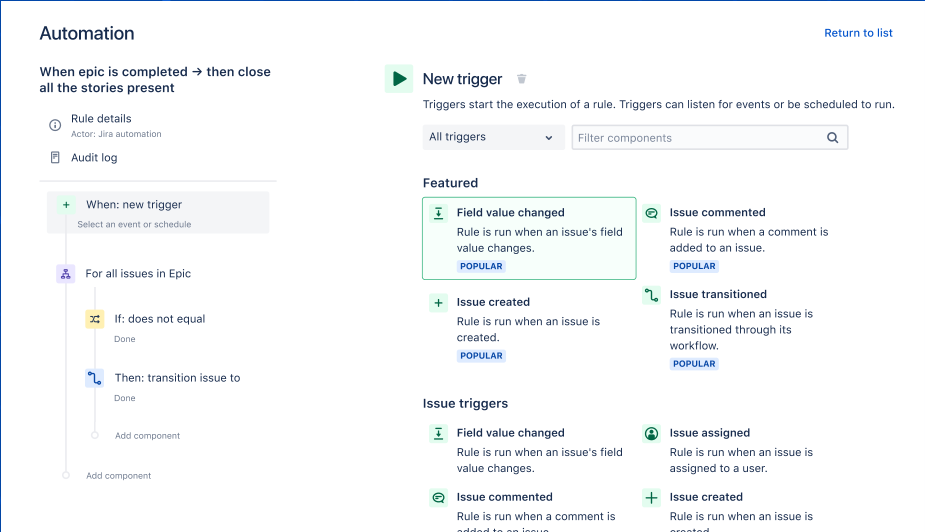
Automation
Built-in automation handles repetitive tasks, processes, and workflows without manual intervention. Simple automations can update task statuses, send reminders, and notify team members when their input is needed.
This consistency eliminates human error and frees up your team to focus on work that actually requires their expertise rather than administrative overhead.
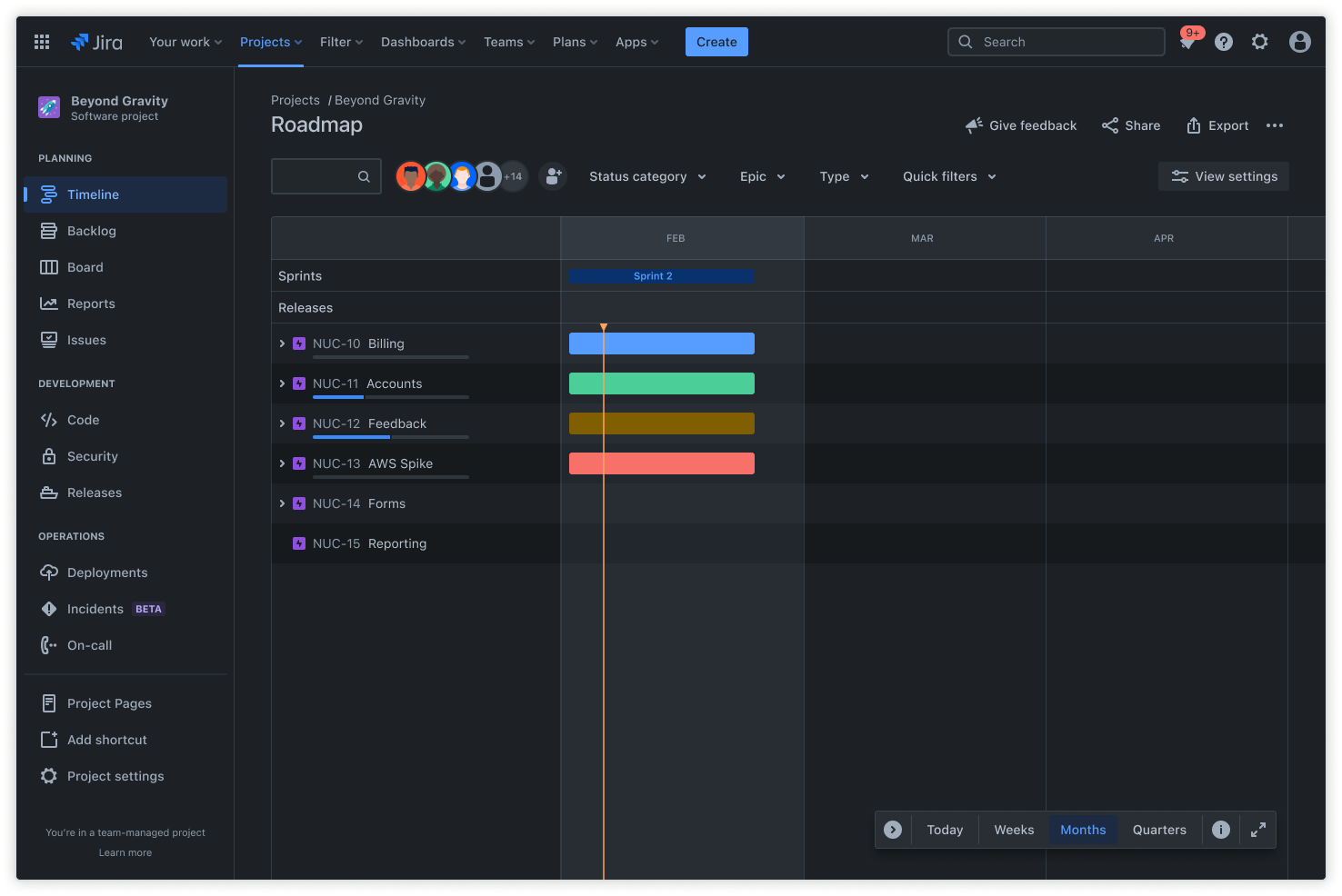
Timeline
The timeline view displays tasks and deadlines in a linear sequence that simplifies progress tracking. See dependencies and critical paths between tasks.
A timeline view also helps you understand how delays in one area might affect other parts of your production schedule. Plus, you can use AI work breakdown in the Timeline view in Jira Plans to break down larger work items into manageable tasks for more efficient planning.
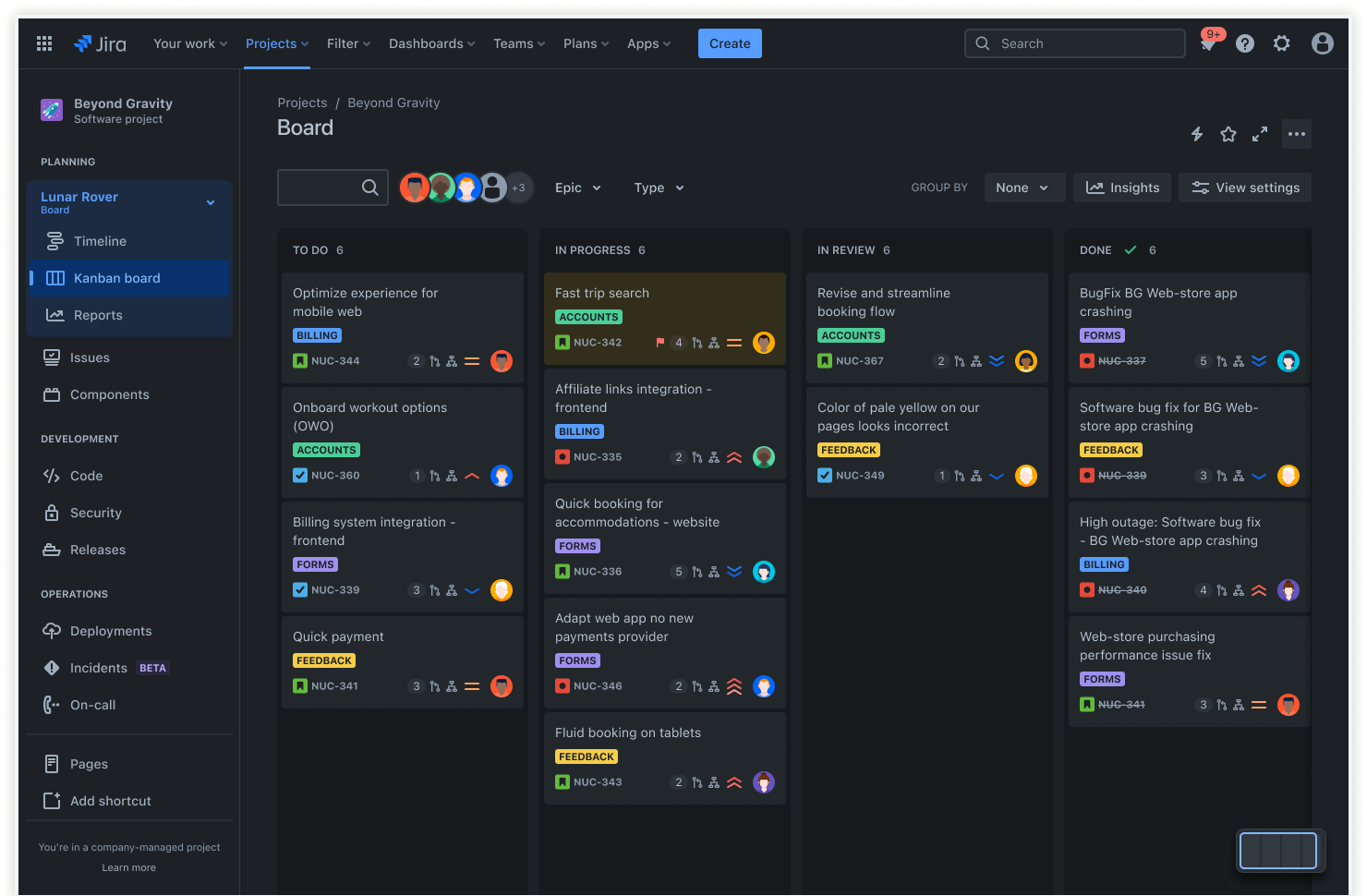
Kanban board
A Kanban board is a visual tool that teams use to plan, visualize, and track work from to-do through completion. Use this view to identify and manage bottlenecks by showing where work is piling up in your workflow.
With clear visibility, collaboration and transparency is solidified across stakeholders. Use this view to make it easy for everyone to see progress and jump in where help is needed.
How to get started with the production schedule template
- 1
Choose the right Jira project type
Jira offers different project types, and Scrum and Kanban are best suited for production schedules. Scrum works well for time-based work with defined sprints, while Kanban supports continuous production without fixed timeframes.
Choosing the best project type helps structure your workflow in a way that matches how your team actually works.
- 2
Set up issues for production tasks
Create issues for each production activity or milestone. Assign start and due dates to each issue so they appear on your calendar view.
This step turns your abstract plan into concrete items that can be tracked, and it creates accountability by making progress visible to the entire team.
- 3
Enable or access the calendar view
Use the Team Calendar feature (if you have Confluence and the Team Calendars add-on), or install a calendar app from Atlassian Marketplace. You can also use the Advanced Roadmaps timeline for a Gantt chart-like view if that's available in your plan.
The goal is to get a clear, visual timeline of all production tasks so everyone can see what's coming and plan accordingly.
- 4
Customize your calendar
Filter by assignee, issue type, or status to focus on the production tasks most relevant to your current priorities. In some calendar views, you can drag and drop issues to adjust dates when plans change.
Customizing your view helps teams cut through the noise and focus on what matters most for their specific role or current sprint through better project management. - 5
Share and collaborate
Share the calendar view with your team to ensure everyone has visibility into upcoming deadlines and dependencies. Use comments, attachments, and checklists within issues to track progress and keep all communication in one place.
This centralized collaboration improves efficiency by eliminating scattered email threads and making it easy to find the information you need. When everyone can see the full action plan in one place, coordination becomes easy.
- 6
Automate and integrate
Set up Jira automations for routine tasks like sending reminders or updating statuses when certain conditions are met. Integrate with Slack, email, or other tools your team already uses for notifications and updates.
Automation reduces manual effort and ensures nothing falls through the cracks, which is especially important when you're managing complex schedules with multiple handoffs between teams and departments.
Ready to use this free template?
Explore more templates to supercharge teamwork
Empower everyone, on every team. Build, connect, and deliver your biggest ideas seamlessly across Atlassian apps using our complete collection of ready-made workflows.